LectioLux
A calmer Lectio. The Danish school platform, redrawn.
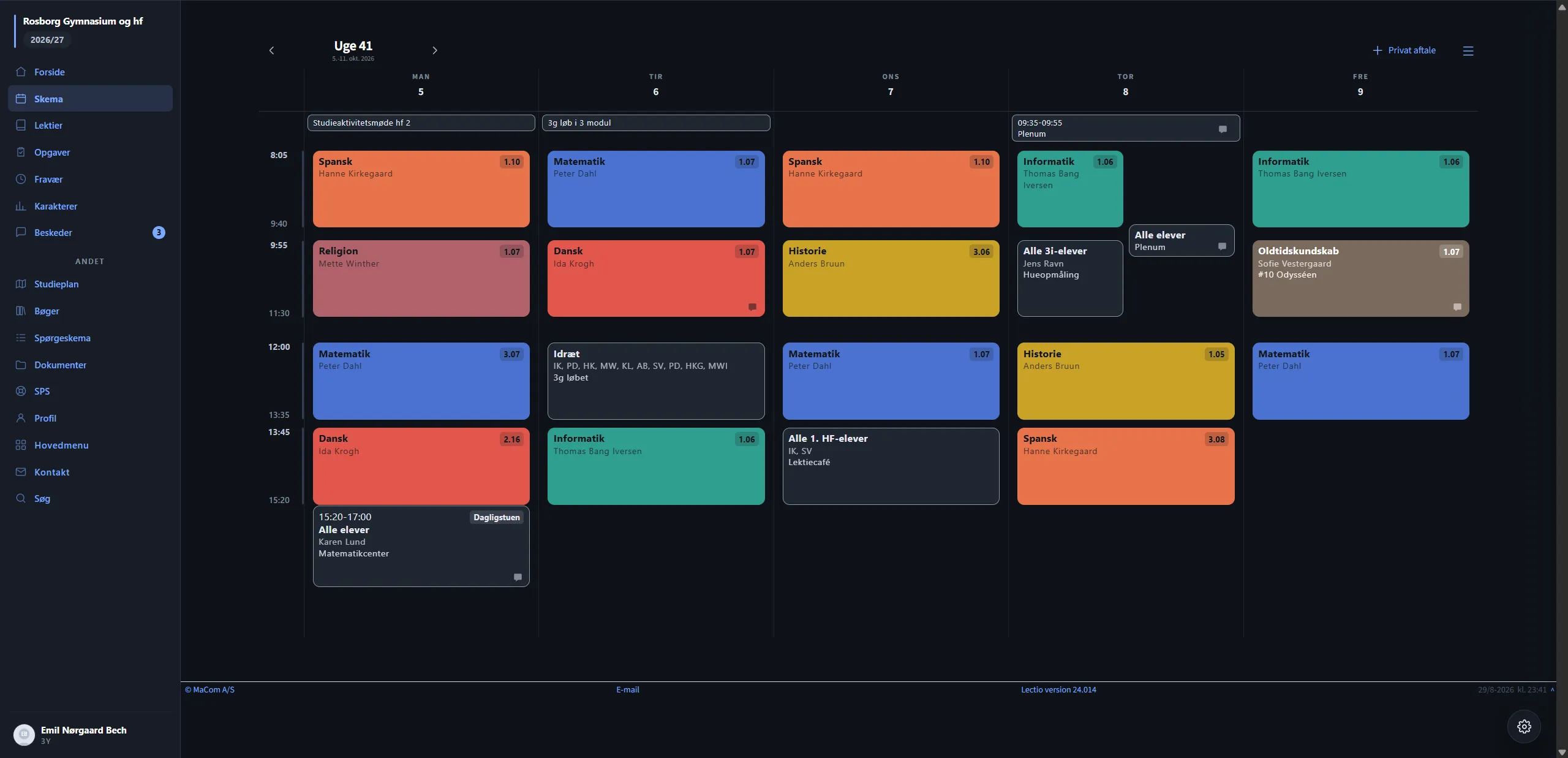
LectioLux redesigns Lectio.dk, the scheduling and messaging platform most Danish upper-secondary students live in. It ships as two editions in one extension, switchable with a single click.
Classic keeps Lectio’s own layout and themes it: same menu, same pages, same buttons. 3.0 redraws Lectio from scratch: a new front page, a new schedule with a time-rail, a new navigation, every page redrawn. A new user lands in 3.0 with the Midnight theme and is offered Classic immediately. An existing user is never moved automatically.
The signature: the time-rail
A schedule should answer one question, where am I in the day, and a grid of boxes does not answer it on its own. So the left column shows real clock times locked to each lesson’s actual pixel height, and a live line runs through today’s column at the current time, moving every half minute. The line sits in today’s column alone. A stroke across the whole week would claim something about Monday that isn’t true.
Under the hood
Both editions share one settings engine, one set of themes, and one popup.
shared/edition.js is the gate: every engine file begins with LLEdition.is()
and does nothing in the wrong edition. The on-page settings panel lives in a
shadow root so Lectio’s CSS and the extension’s cannot bleed into each other.
There is deliberately no web font. Lectio places schedule modules with em-based
math, and a font with different metrics would shift the time axis. The
personality lives in the type system instead: spaced small caps for labels,
tabular figures wherever numbers must compare vertically, and real weight
contrast.
Screens
-
The 3.0 schedule. Clock times on the left rail, one colour per subject.
-
The redrawn front page.
-
The settings panel, rendered inside a shadow root so Lectio's CSS cannot reach it.
-
Midnight, the theme a new user lands in.
-
The Nord theme.
-
The Forest theme.
-
Daylight, the light theme.
-
The Classic edition: Lectio's own layout, themed.